Private alpha · capacity-aware day planning
Plan the day
you actually have.
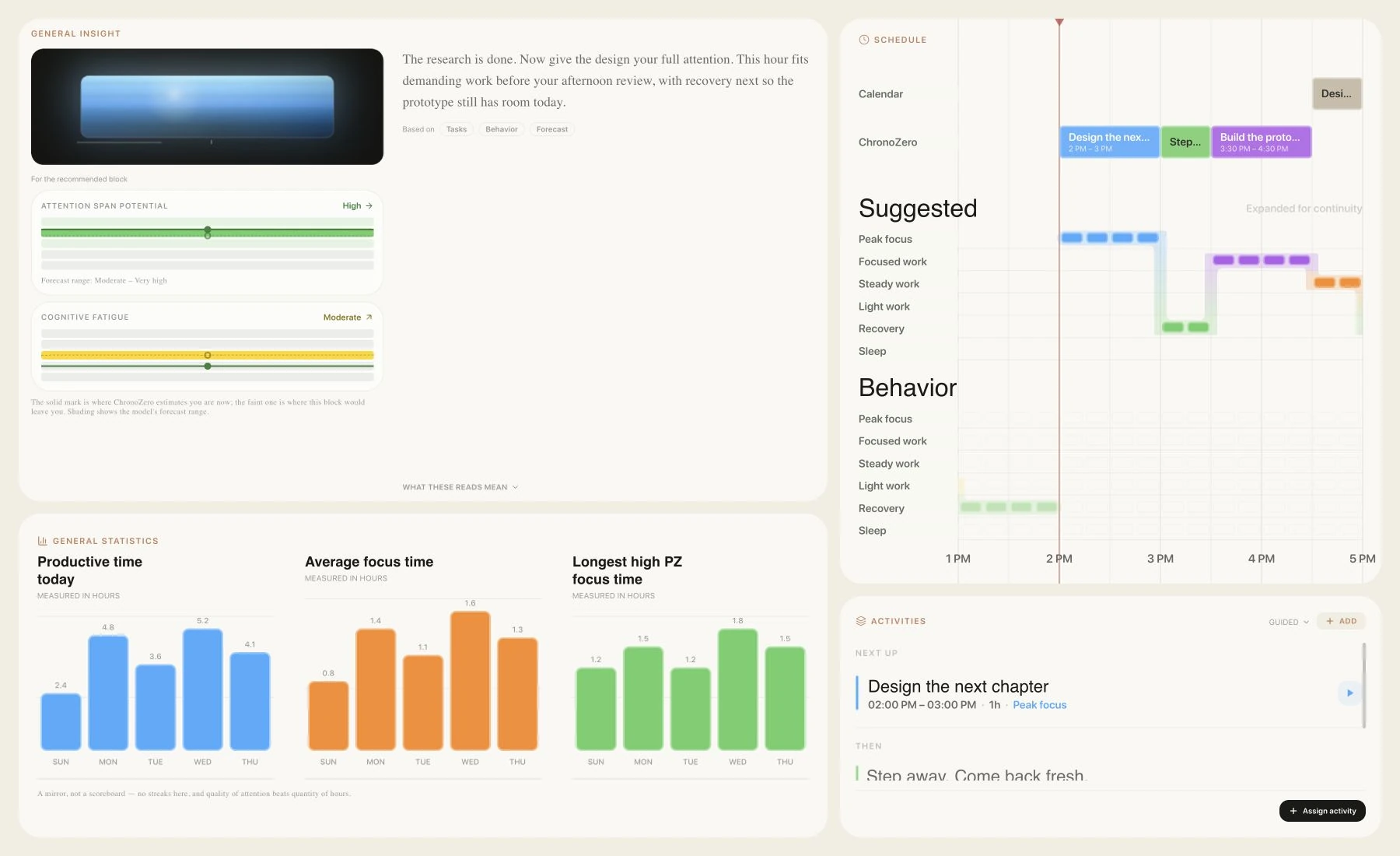
ChronoZero keeps a running estimate of your energy and fatigue, corrected by a quick check-in and a 45-second reaction test. The planner uses it to put demanding work where you can carry it and recovery before the strain reaches your evening.
Desktop web and native iOS · Free, invite-only alpha
How a day is modeled
An empty hour isn't
always a good hour.
Your calendar says 14:00 is free. Whether it suits hard work depends on how you slept, what the morning already took, and how long you've been awake. ChronoZero simulates those processes across the day, so it still has an estimate of your state in the hours you didn't tell it anything.
The plan is written in seven Power Zones, one scale from peak focus down to sleep. Recovery and distraction are zones too, because both change what the next hours can hold.
Estimated, checked,
then planned.
Inside, the estimate is a spread of possible states that shifts as your day gets recorded. Two short inputs pull it toward how you really are.
- Vitality
- A slider for how energetic you feel right now. States that match your answer gain weight.
- Readiness check
- A circle lights up after a random pause of two to six seconds, and you tap as soon as you see it. Sixteen taps take about 45 seconds. Your reaction times, the responses slower than half a second, and any taps that come too early all feed the estimate.
The planner then compares candidate sequences of 15-minute blocks and keeps the one that gets the most useful work done at an acceptable cost later, tonight's sleep included. If a session ends early or you log a break, it plans the rest of the day again.
Inside the planning engine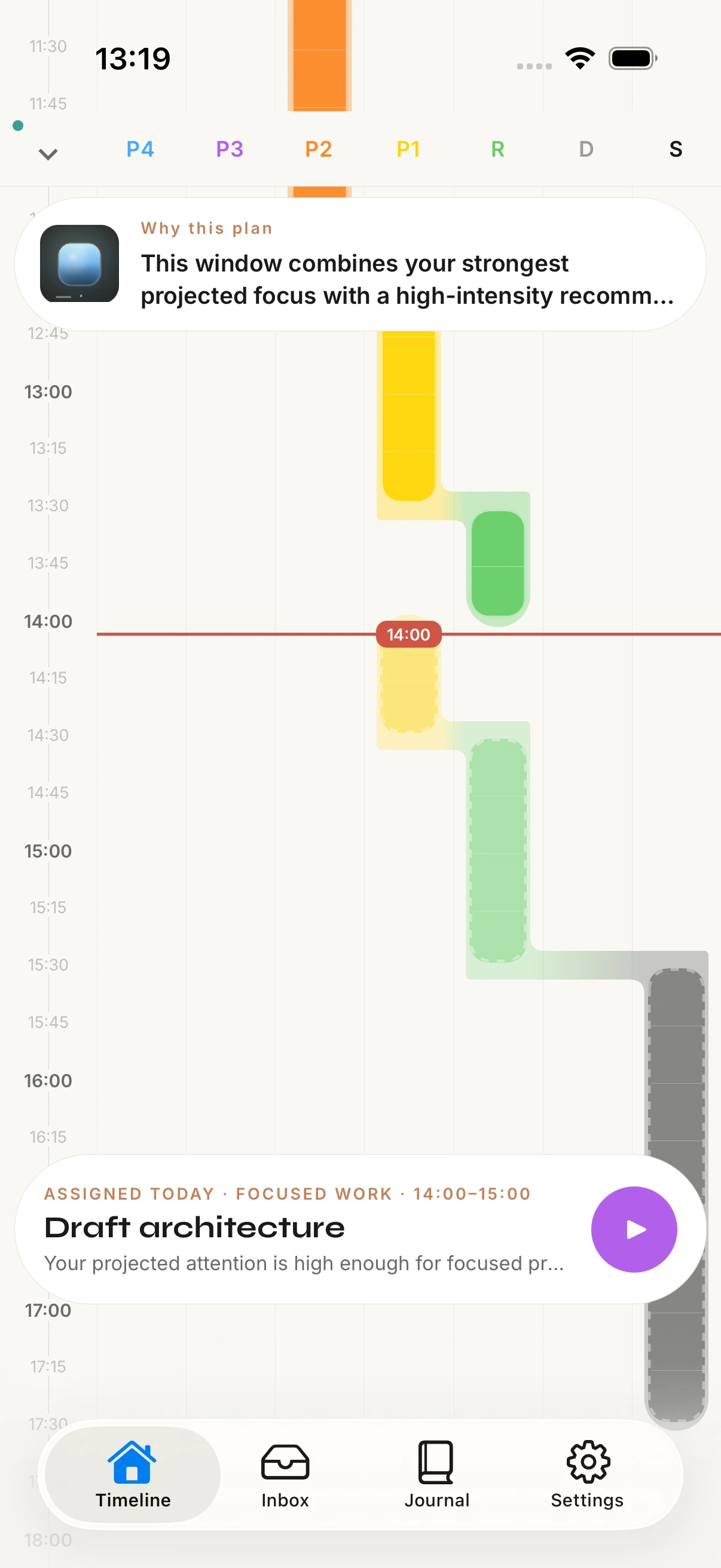
02 / Connected inputs
Calendars and tasks,
read for effort.
Connect the calendars and task lists you already use. Each item is classified by the Power Zone it needs, how long it takes, whether its deadline is hard, and whether it can move. Anything the classifier is unsure about waits for your review.
Classified,
then placed.
Which zone does it need?
Is the deadline hard?
Can it move?
Build the prototype
After the design step · 1 hour
Design review
16:30 · Has attendees, stays put
Room to reset
Between two demanding blocks
Illustrative planning items
Meetings with other people stay where they are. A block only moves when ChronoZero can tell you're the only one in it, and a connected calendar is never changed without asking you first.
Also imports ICS files and CalDAV calendars04 / Insight
Every suggestion
comes with its reasons.
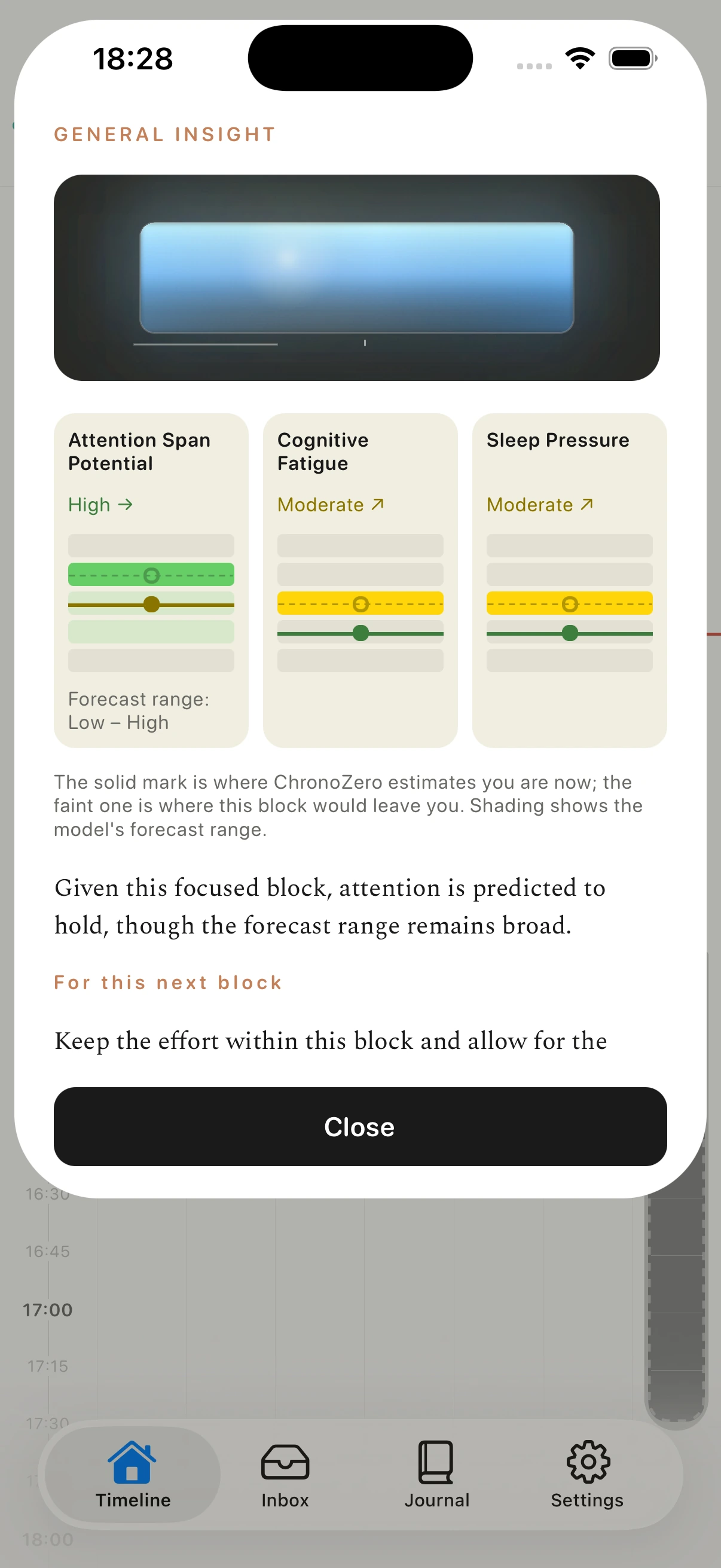
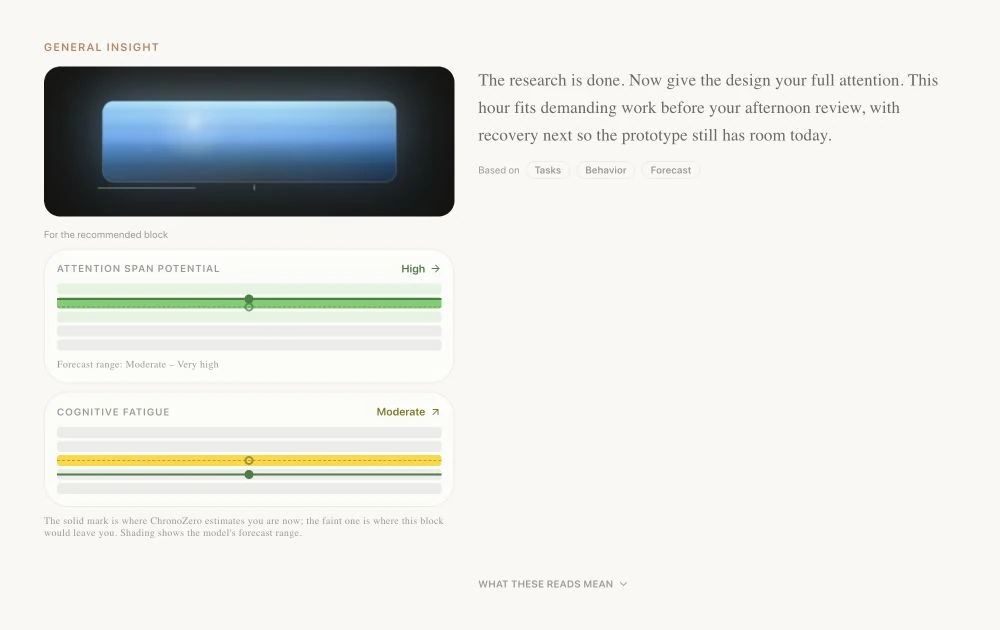
Insight shows where your attention and fatigue are estimated to be now and where the recommended block should leave them. Each explanation names what it rests on: your tasks, your recent behavior, or the forecast.
On iOS
Open the why.
Expand Insight from the timeline. The artwork at the top is drawn from the estimated state, and the readouts below it compare the estimate now with the forecast after the next block.
Forecasts come with a range, so you can see how sure the model is before you follow it.
These are model estimates, not measurements.
When your check-in disagrees, the estimate moves toward what you reported.
Desktop and iOS
Plan at your desk.
Follow it on your phone.
The desktop web app has room for the whole day, with Insight and your activities beside the timeline. The iOS app keeps the timeline, the next activity and the check-ins with you.
Product views use staged example data. The iOS app is in development and not yet available for download.
Help us test it
on real days.
The alpha is free and deliberately small. Requests are approved one at a time, and every bug report is read by the person building it.
Request alpha accessAlready approved? Sign in
Why we're building this